Their measurements, their photos, your reply in one place.
Your client fills in their check-in from their phone. You see the gap with the last one, you compare the photos, and you answer with a voice note without leaving the sheet.
Free plan · 1 active client
Left / right
Every value carries its gap with the previous check-in.
A check-in that compares itself.
Fourteen measurements, photos, a note. The previous check-in is always there to put today's number in context.
14 measurements, 4 left/right
Weight, body fat, waist, hips, chest, neck, plus arms, forearms, thighs and calves measured on both sides.
Photos side by side
Two check-ins, two photos, linked zoom and adjustable brightness. The change shows without an argument.
Your reply on the sheet
Voice note, video or text, attached to the check-in. Not a message lost in the chat.
The progress the scale never shows.
The weight sits still, the waist lost two and a half centimetres. Side-by-side photos settle it in three seconds.
- Linked zoom: both photos move together, the framing stays comparable.
- Adjustable brightness: Monday's bathroom light isn't March's.
- Numbers too: absolute difference and percentage on every measurement.
- Image export: the comparison leaves as one file, ready to send.
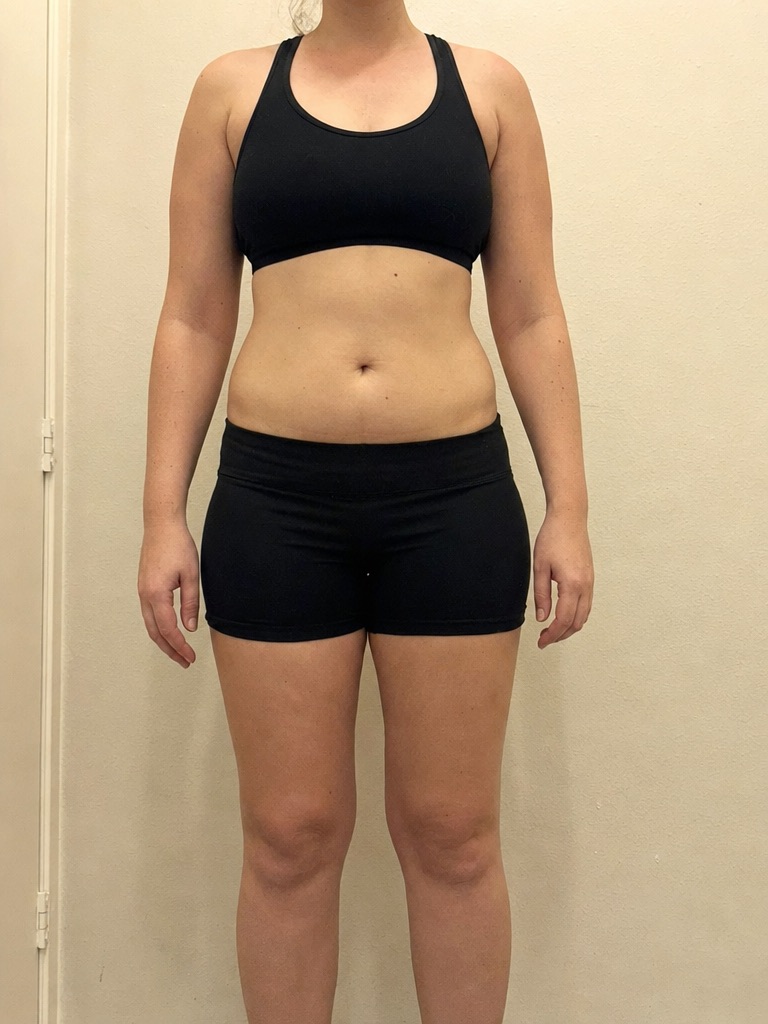
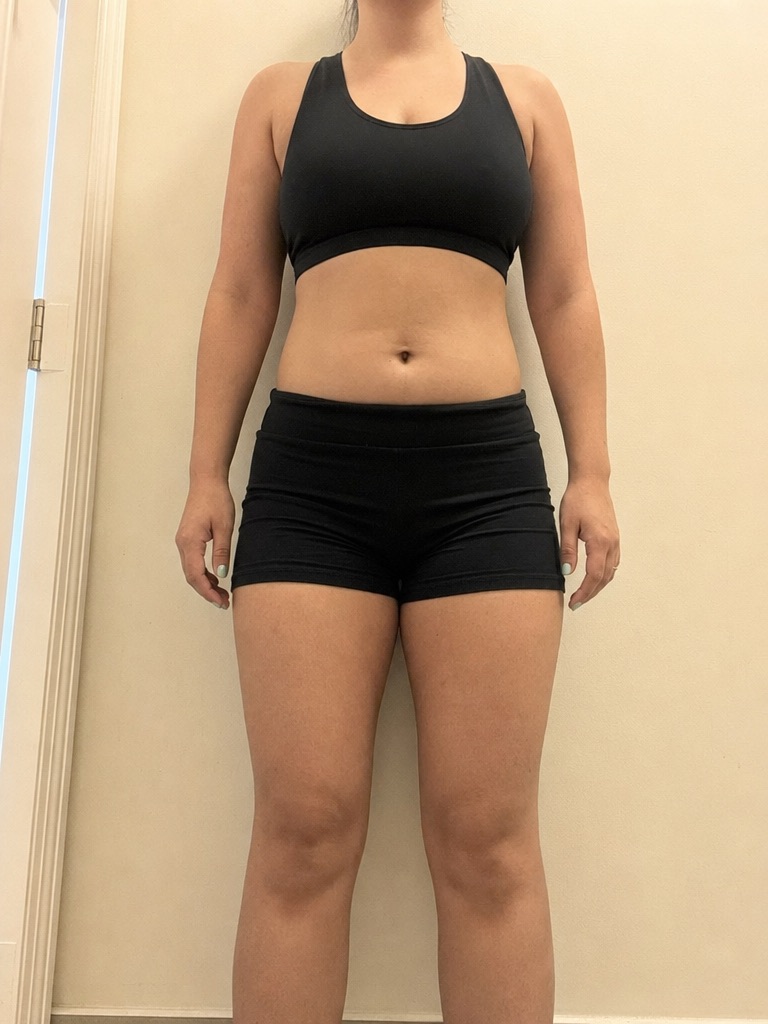
Both photos zoom together: the framing stays comparable.
Zoom, brightness, fullscreen. Plus an image export of the comparison.
Answer with your voice, not your keyboard.
Thirty seconds of voice note beat ten written lines. The message stays attached to the check-in, with reactions and a read receipt.
- Voice note or video: you explain the movement instead of describing it.
- Reactions and quoted replies: the thread stays readable after three exchanges.
- Seen by: you know your client read it, without asking again.
Text, video or voice note. With reactions and a read receipt.
The check-in measures the body. The rest, you ask.
Sleep, aches, mood, sticking to the plan: the check-in doesn't capture those, by design. Its structure stays fixed so it stays comparable over time. For everything else, you write your own questions.
- Your questions, your formats: about twenty types, from a 1-to-10 scale to a signature, up to a hundred questions.
- Four ready templates: intake check-in, weekly check-in, signed PAR-Q, lead qualification.
- Conditional display: a question only shows when the previous answer calls for it.
- Recurring sending: every week or every month, until a date or a number of sends.
Know what's waiting, before your client does.
A check-in received is a check-in to handle. The dashboard tells you which ones are dragging.
Late ones first
Check-ins to handle, those waiting over 48 hours, the average wait and how many you handled in seven days.
To handle, then handled
Every check-in carries its status. You flip it in one tap, or in bulk when catching up.
A curve per measurement
Weight, body fat, waist, arms: each measurement has its own curve over the period you choose.
From their phone to your reply.
Almost every check-in is filled in by clients themselves. Your work starts at the reading.
They fill it in
Measurements, photos and a free note, from their phone. You can also enter the check-in yourself.
You compare
The gap with the previous check-in shows on every value. Photos line up side by side.
You answer
Voice note, video or text on the sheet. The check-in turns to handled.
It works better together.
What we're asked the most.
Which measurements can be recorded?
How many photos per check-in?
How does the comparison work?
Is there a PDF export of a check-in?
Who fills in the check-in?
Is the client reminded automatically?
Can I answer with something other than text?
Does the connected scale weight land in the check-in?
Not sure Fit'Distance tracks your clients properly?
Paste this prompt into ChatGPT, Claude or Perplexity. They'll compare the check-in tools of coaching software.



Get your first check-in, answer it.
Create your coach account, invite a client, let them send their measurements and photos. Two minutes will show you what changes.
You see what's waiting before your client does.